Message your clients
Keep every client conversation in one place, with saved replies and messages that send later.
How to do it
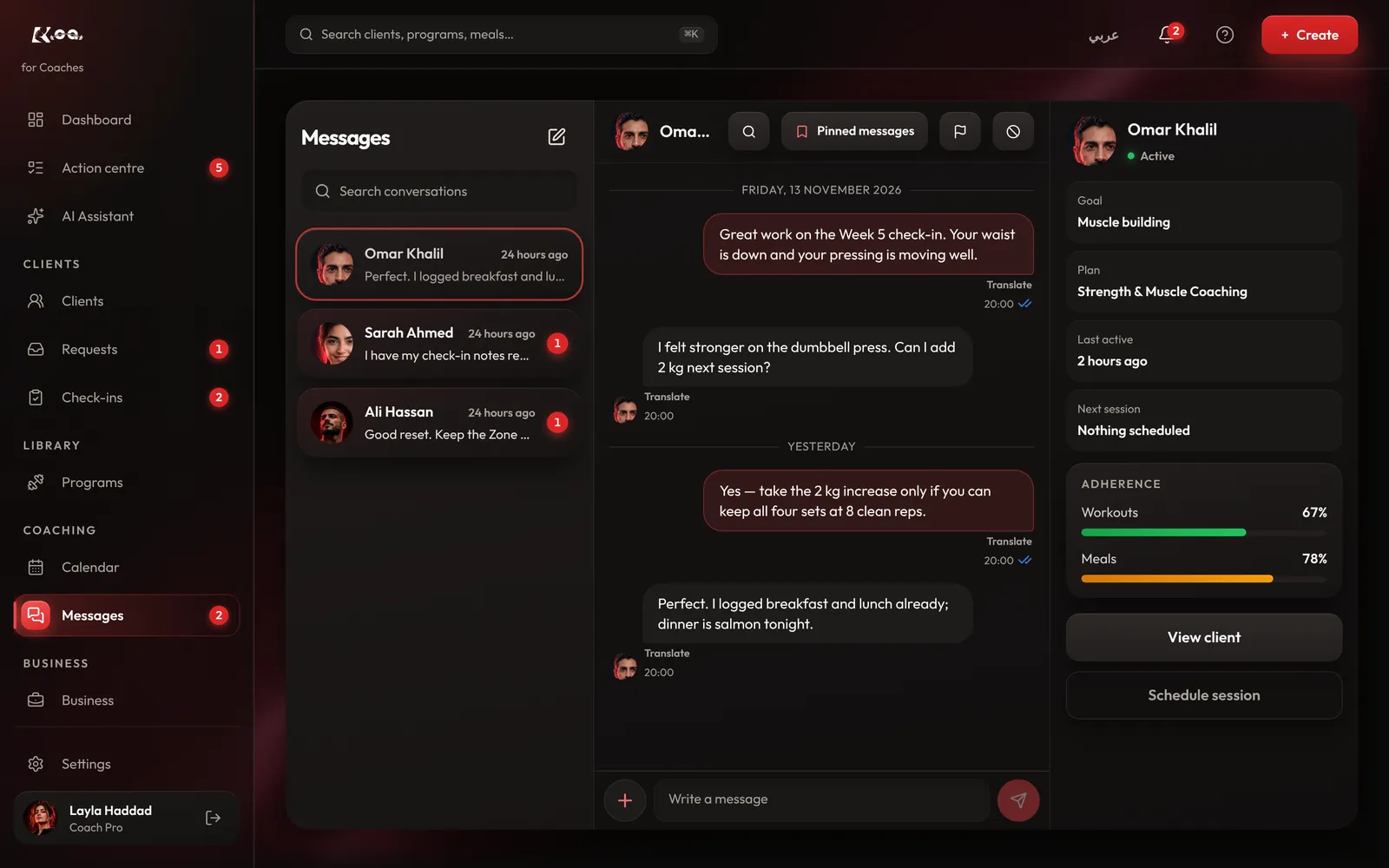
Start a chat
Open Messages and pick a client, or press New message.
Use saved replies
Keep answers you send often under Saved replies. Press New reply to add one, then drop it into any chat.
Send later
Write your message and choose Send later to have it go out at the time you pick.
Attach and share
Attach a file, or press Share to send a workout, a meal, a coaching plan or a programme straight into the chat.
Good to know
- Messages are the same in the app and on coach web, so you can reply from wherever you are.
Still stuck? Email a screenshot to [email protected] and we'll reply in writing. Contact support